
Product Information
What is Checkbot (for chrome)?
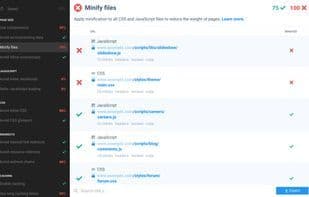
CheckBot is a Google Chrome extension that enhances your website's SEO, speed, and security. Use Checkbot to crawl 1,000 pages in minutes, verifying adherence to over 50 best practices gathered from Google, Mozilla, W3C, and other web experts.
CheckBot identifies broken links, duplicate content issues, invalid HTML/CSS/JavaScript, insecure password forms, performance-killing redirect chains, and more. The comprehensive CheckBot Web Developer Guide details the 50+ best practices it automatically tests, explains why each rule matters, and outlines the necessary fixes for detected issues. After addressing the problems flagged by Checkbot, simply rescan your site to confirm your changes have resolved them.
CheckBot will become an essential part of your web development toolkit, helping you troubleshoot and optimize at every stage before your site goes live. You can use its core crawling feature on an unlimited number of sites, including local development environments and password-protected staging sites.
Currently free during its public beta, CheckBot works on macOS, Linux, Chrome OS, and Windows. Upon full release, both free and paid plans will be available.
How to use Checkbot (for chrome)?
Checkbot is a Google Chrome extension improving website SEO, speed, and security. It crawls thousands of pages, verifying adherence to 50+ best practices from Google, Mozilla, and other experts, helping fix and optimize issues before they go live.
Core Functions of Checkbot (for chrome)
SEO Audit
Dead link check
SEO Audit
Usage Scenarios of Checkbot (for chrome)
- Crawl thousands of pages in minutes, verifying compliance with 50+ best practices
- Identify dead links, duplicate content, invalid HTML/CSS/JavaScript, etc., on websites
- Detect insecure password forms and performance-impacting redirect chains
- Recrawl websites after fixes to confirm issue resolution
- Use during various website development stages to fix issues and make critical optimizations
- Perform crawl checks on local development sites and password-protected staging sites
Common Questions about Checkbot (for chrome)
What does Checkbot do?
How do I use Checkbot?
What are the core features of Checkbot?
What are the use cases for Checkbot?