



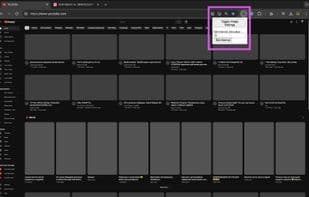

Product Information
What is Chrome auto image blocker?
Chrome Auto Image Blocker is a lightweight Chrome extension designed to enhance your browsing experience by automatically blocking and toggling images on web pages according to a customizable schedule. Reduce distractions and effortlessly speed up page loading times.
Features:
- Automatically blocks images every 10 minutes by default.
- Manual toggle to instantly enable or disable images.
- Customizable intervals for automatic image blocking.
- Virtually no user interface 😁.
- Lightweight and efficient.
How to use Chrome auto image blocker?
Chrome Auto Image Blocker is a lightweight Chrome extension that enhances browsing by automatically blocking and switching webpage images, reducing distractions and speeding up page loads.
Core Functions of Chrome auto image blocker
Lightweight
Privacy-first
Ad-Free
No Tracking
No Registration Required
Content blocker
Privacy-Focused
Usage Scenarios of Chrome auto image blocker
- Reduce visual distractions while browsing the web
- Speed up webpage loading, especially under poor network conditions
- Automatically manage image display based on preset schedules
- Quickly toggle image display manually when needed
Common Questions about Chrome auto image blocker
What does Chrome Auto Image Blocker do?
How do I use Chrome Auto Image Blocker?
What are the core features of Chrome Auto Image Blocker?
What are the application scenarios for Chrome Auto Image Blocker?
















