




Product Information
What is Chrome emacs?
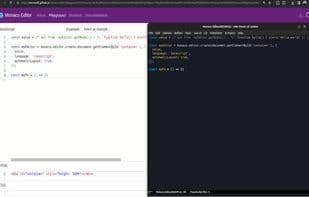
Editing TextAreas and online editors with Emacs. This extension enables bidirectional editing, cursor and scroll synchronization, and keyboard shortcuts, supporting popular online editors like Codepen and Stackblitz. Chrome Emacs allows direct two-way editing of text areas and online text editors from within Emacs. Experience seamless editing with cursor and scroll sync, automatic major-mode detection, and compatibility with multiple online editors.
Features:
- Works with most online editors: Codepen, Stackblitz, JSfiddle, LeetCode, and more.
- Cursor and scroll synchronization: Code seamlessly in real-time across online editors.
- Navigate editable areas: Quickly switch focus using hints.
- Automatic major-mode detection: Selects the correct editing mode automatically.
Installation:
- Install the add-on for your browser.
- In Emacs, install the atomic-chrome package.
Usage:
- Start the server in Emacs using `M-x atomic-chrome-start-server`.
- Activate the extension in your browser and begin editing directly in Emacs.
How to use Chrome emacs?
Chrome Emacs is a browser extension that lets users edit text areas and online editors directly in Emacs, featuring two-way editing, cursor and scroll sync, and more.
Core Functions of Chrome emacs
No Tracking
Ad-Free
Emacs
Emacs mode
Emacs integration
No tracking
EMACS
Usage Scenarios of Chrome emacs
- Edit code in online editors like CodePen
- Code in real-time on StackBlitz
- Edit text in JSFiddle
- Write code in LeetCode
- Quickly switch focus between editable areas
- Automatically detect and apply the correct editing mode
Common Questions about Chrome emacs
What does Chrome Emacs do?
How do I use Chrome Emacs?
What are the core features of Chrome Emacs?
What are the application scenarios for Chrome Emacs?
















