




Product Information
What is Copy plaintext?
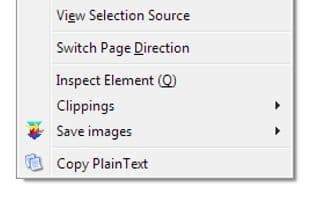
Copy PlainText is a small multi-process extension that removes formatting from selections before saving to the clipboard.
Features
- Multi-process compatible
- Strips formatting from selections before saving to the clipboard
(Firefox restricts certain functionalities for some URLs.)
- Trims spaces from the beginning and end of selections
- Removes multiple spaces
- Two keyboard shortcuts: F7 and the original Ctrl+Shift+F7 (FF53+) (v1.2)
How to use Copy plaintext?
Copy PlainText is a browser extension designed to automatically remove all formatting when copying text, ensuring pasted content is plain text for improved efficiency and accuracy.
Core Functions of Copy plaintext
Support for Keyboard Shortcuts
Usage Scenarios of Copy plaintext
- Automatically remove all fonts, colors, and other formatting when copying text from a webpage to a document or email.
- Automatically remove extra spaces at the beginning and end of text when copying.
- Clean up multiple consecutive spaces in copied content to keep it tidy.
- Use shortcuts to quickly copy plain text, improving efficiency.
- Perform custom find and replace operations on selected text before copying.
Common Questions about Copy plaintext
What does Copy PlainText do?
How do I use Copy PlainText?
What are the core features of Copy PlainText?
What are the use cases for Copy PlainText?
















