




Product Information
What is Download status bar?
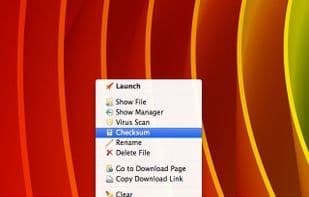
Download Status Bar manages every aspect of your downloads (start, display, scan, send, rename, stop, pause, resume, restore, cancel, clean, delete), generates statistics from download operations, keeps a history of previous session downloads, and more. It's not just a download management add-on but also a productivity-enhancing tool.
How to use Download status bar?
Download Status Bar is a download manager add-on that handles all aspects of downloads—starting, displaying, scanning, renaming, pausing, resuming, canceling, cleaning, and deleting—while generating statistics and retaining history to boost productivity.
Core Functions of Download status bar
Legacy Firefox add-ons, multiple languages
Usage Scenarios of Download status bar
- Manage download file actions like launch, show, scan, send, rename, etc.
- Pause, resume, or cancel ongoing downloads.
- Clean or delete completed downloads.
- Generate download activity statistics.
- Retain download history from previous sessions.
- Enhance download management efficiency as an auxiliary tool.
Common Questions about Download status bar
What does Download Status Bar do?
How do I use Download Status Bar?
What are the core features of Download Status Bar?
What are the application scenarios for Download Status Bar?
















