




Product Information
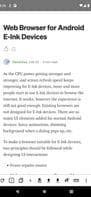
What is Einkbro?
Simple, lightweight, fast yet powerful, especially tailored for Eink devices.
**E-INK Specific Features**
• PageUp/PageDown buttons on the toolbar
• Page turn/scroll by tapping the left/right side of the screen
• Use scroll keys for PAGEUP/PAGEDOWN
• Easy font size and boldness configuration
• Desktop mode functionality
• High-contrast colors for all icons
• Removal of unnecessary animations
• Reader mode
• Vertical reading mode (ideal for Chinese and Japanese content)
• Save webpages as EPUB files
**Basic UI/Handling:**
• Dark mode
• Optimized for one-handed use (bottom toolbar)
• Tab controls (switch, open, close unlimited tabs)
• Full-screen browsing (optional)
• Navigation buttons in full-screen mode
• Quick toggle for most important settings
• Advanced gesture controls for toolbar and navigation buttons
**Some Handy Extras:**
• On-site search
• Incognito mode
• Open links in the background
• Web search (from marked text context menu)
• Share/save as PDF
• Open links in other apps (e.g., YouTube)
How to use Einkbro?
Einkbro is an Android WebView-based web browser optimized for e-ink screen devices, offering a lightweight, fast, and powerful browsing experience while also performing well on regular Android devices.
Core Functions of Einkbro
Lightweight
Usage Scenarios of Einkbro
- Browse the web on e-ink devices
- Read Chinese and Japanese content
- Save web pages as epub files
- Open links in other apps, such as YouTube
- Search for specific information within the current website
- Browse the web in incognito mode
Common Questions about Einkbro
What does Einkbro do?
How do I use Einkbro?
What are the core features of Einkbro?
What are the use cases for Einkbro?
















