




Product Information
What is Gmail templates?
Use Gmail Templates to create messages in a second and boost your productivity with an auto text expander and browser templates.
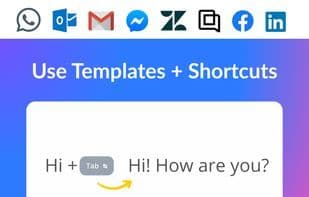
Remembering all Gmail keyboard shortcuts or tab shortcuts to use can be challenging. This tool solves that with an intuitive interface that keeps keyboard shortcuts at your fingertips. Elevate your productivity with seamless email solutions. Enjoy the benefits of a text expander, browser, and email templates.
The Chrome Extension equips you with powerful tools to quickly save, organize, and insert email templates, eliminating the need to dig through old threads or drafts. With an intuitive, user-friendly design, the experience enhances communication and ensures greater consistency.
This tool is perfect for anyone who values speed, clarity, and professionalism in their daily email communications. It enables you to create, organize, and use templates directly in Gmail within your Chrome browser.
Save email templates instantly for any scenario
Maintain a uniform style and tone
Reduce errors and boost productivity with every template
Quickly insert Gmail templates into your messages
Organize Gmail templates with labels or folders for fast access
Compose your email as usual
Click the extension icon
Select from your saved templates
Personalize details and send in seconds
Who benefits the most?
Customer service agents using business email template standards
Sales professionals managing multiple email marketing templates
Team managers coordinating Gmail templates by subject
Entrepreneurs handling mail templates for different clients
Anyone who regularly writes similar emails
Replace scattered tools with one integrated solution
Say goodbye to repetitive writing and hello to effortless, consistent messaging with email templates. Rewriting similar messages over and over wastes valuable time. Searching for past email templates or rewriting responses introduces errors and drains energy. Gmail Templates gives you instant access to and management of email templates, ensuring a smooth and error-free workflow. If your work depends on sending many similar emails, having the right Gmail email template at your fingertips is essential.
Common problems solved by this extension:
Rewriting the same email templates repeatedly
Losing track of which Gmail templates to use
Forgetting Gmail shortcuts and keyboard commands
Wasting time searching for templates
How to use Gmail templates?
Gmail Templates is a Chrome extension that helps users quickly create and send emails by providing email templates, text expanders, and browser templates, improving efficiency, consistency, and professionalism in email communication.
Core Functions of Gmail templates
Browser Extension
Usage Scenarios of Gmail templates
- Customer service agents use unified business email templates.
- Sales professionals manage multiple email marketing templates.
- Team managers coordinate Gmail templates by topic.
- Entrepreneurs manage email templates for different clients.
- Users who need to write similar emails regularly.
Common Questions about Gmail templates
What does Gmail Templates do?
How do I use Gmail Templates?
What are the core features of Gmail Templates?
What are the use cases for Gmail Templates?
















