




Product Information
What is Heliumlift?
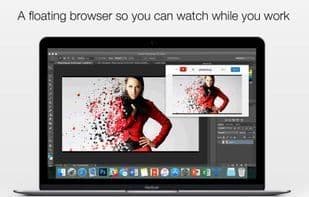
HeliumLift is Jaden Geller's innovation for floating browser windows. Read the news, browse the web, and do more—all while watching your favorite shows in a convenient picture-in-picture window. Your content never gets buried behind other windows, even when you switch tasks. HeliumLift features a customizable translucent mode that lets you view content and work simultaneously without interrupting mouse clicks or transparency. You can click, drag, scroll behind floating content, and even use it with full-screen applications!
Launch popular streaming services like Netflix, YouTube, or PLEX directly from the home screen, or send Chrome extensions straight from your browser to HeliumLift using the Chrome Extension.
How to use Heliumlift?
HeliumLift is a floating browser window application that enables users to watch videos, browse web pages, or read news in picture-in-picture mode while working. It ensures content always stays on top and supports customizable semi-transparent modes for easy viewing alongside work.
Core Functions of Heliumlift
Picture-in-picture
Usage Scenarios of Heliumlift
- Watch favorite shows in picture-in-picture mode while working.
- Read news or browse the web simultaneously without affecting other tasks.
- Use semi-transparent mode to view content while performing other operations.
- Quickly launch streaming services like Netflix, YouTube, or Plex from the home screen.
- Send web pages from the browser to HeliumLift via a Chrome extension.
Common Questions about Heliumlift
What does HeliumLift do?
How do I use HeliumLift?
What are the core features of HeliumLift?
What are the use cases for HeliumLift?
















