




Product Information
What is Ie tab?
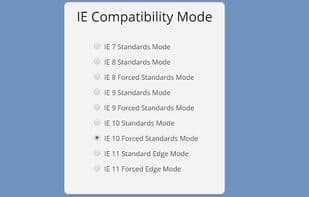
IE Tab simulates Internet Explorer by directly utilizing the IE rendering engine within Chrome. This allows you to use ActiveX controls and test web pages with different versions of IE (IE6, IE7, IE8, or IE9).
Run legacy web applications.
SharePoint? ActiveX? Silverlight? Java? IE Tab runs them all seamlessly and transparently, without the need to switch browsers.
Use IE securely.
Running older versions of IE can be risky, but IE Tab can be locked down so it's only used on websites that require it. Use Chrome with IE Tab to protect against those zero-day IE vulnerabilities.
*GPO Deployment
Full support for Group Policy deployment. Set the URLs you need to open with IE Tab and deploy them via Group Policy.
Supports language translation.
Automatic URL exclusions.
This lets you set broad automatic URLs for sites while making one-time exclusions for pages you still want to load in Chrome.
We have now hidden the search box by default. You can still enable it from the options page.
How to use Ie tab?
IE Tab is a Chrome extension that simulates Internet Explorer by using IE's rendering engine within Chrome, enabling users to run legacy web apps and test pages securely.
Core Functions of Ie tab
Browser Extension
Multilingual
Usage Scenarios of Ie tab
- Run legacy web applications like Sharepoint, ActiveX, Silverlight, and Java in Chrome.
- Test web page compatibility with different versions of IE (IE6, IE7, IE8, or IE9).
- Safely run legacy IE by locking IE Tab to specific websites.
- Deploy URLs that need to open in IE Tab via Group Policy (GPO).
- Set URL filters to automatically open specific URLs in IE Tab.
Common Questions about Ie tab
What does IE Tab do?
How do I use IE Tab?
What are the core features of IE Tab?
What are the use cases for IE Tab?
















