



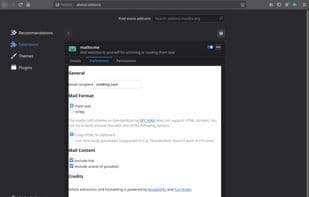

Product Information
What is Mailto:me?
mailto:me is a browser extension for Firefox and Chrome designed to send website content to yourself via email. If you will, it's a poor man's read-it-later system that relies on nothing more than your email inbox.
Features include:
- Configurable and persistent recipient address
- Email subject extracted from page title/content
- Email body supports:
- Plain page links
- Reader-view page content in plain text format
- Reader-view page content in HTML format
mailto:me generates mailto:// hyperlinks, allowing your browser to open them in your chosen email client. Note that for the extension to function properly, you must configure your web or local mail client as the default handler for mailto:// links in your mail settings.
A note from Macuser707 (not the developer): If you use an external email client like Thunderbird (rather than Gmail in the browser), you can set the extension to simply copy formatted HTML to your clipboard, which you can then paste into a draft email.
How to use Mailto:me?
Mailto:me is a browser extension for sending webpage content to yourself via email, serving as a simple, email-based 'read later' system.
Core Functions of Mailto:me
Email automation
Browser Extension
Email automation
Usage Scenarios of Mailto:me
- Email interesting web content to yourself.
- Use as a simple read-later tool to save web pages to your email.
- Copy formatted web content to the clipboard for pasting into external email clients.
Common Questions about Mailto:me
What does Mailto:me do?
How do I use Mailto:me?
What are the core features of Mailto:me?
What are the application scenarios for Mailto:me?
















