




Product Information
What is Multiple tab to pdf printer?
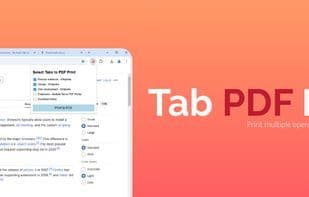
This extension prints multiple open tabs to PDF. Use CTRL+Click to select tabs or checkboxes in the UI for a seamless workflow.
**Description**
Do you often find yourself juggling multiple open tabs and needing to save them as PDFs? Multiple Tab to PDF Printer is here to make your workflow simpler and more efficient. With just a few clicks, you can save selected tabs as a single PDF file—perfect for students, researchers, professionals, or anyone who needs to print multiple web pages at once into a PDF document.
**Key Features**
✔ **Easy Tab Selection**: Choose tabs with CTRL+Click or use intuitive checkboxes in the UI to select which tabs to print.
📄 **Seamless PDF Creation**: Instantly convert selected tabs into separate, standard-format PDF files without leaving your browser.
🖱 **User-Friendly Interface**: Simple and straightforward, so you can focus on the task, not the tool.
🌐 **Works on All Websites**: Whether it's articles, research papers, or online forms, you can effortlessly save content from any site.
**How It Works**
1️⃣ Open your browser tabs with the pages you want to save as PDFs.
2️⃣ Launch the extension by clicking the toolbar icon.
3️⃣ Select tabs using checkboxes in the extension UI or CTRL+Click to manually choose them.
4️⃣ Click "Print to PDF" and let the extension handle the rest!
**Use Cases**
📚 **Research & Education**: Save important articles or resources for offline reading.
💼 **Workplace Organization**: Archive meeting notes, web-based reports, or other critical documents.
🗂 **Project Management**: Quickly save relevant tabs for team reference.
📌 **Personal Productivity**: Keep your browser clutter-free by saving important tabs as PDFs for later.
**Why Choose Multiple Tab to PDF Printer?**
Unlike other tools, this extension keeps your workflow intuitive and efficient. It works entirely within your browser, ensuring your data stays private and secure—nothing is sent to external servers.
**Privacy & Security**
🔒 **Your privacy is our priority**. This extension operates entirely within your browser and does not transmit data to any external servers. All PDFs are created locally to ensure your content remains private and secure. We do accept contributions to support the extension's development, but this extension only links to an external payment provider (PayPal)—we do not directly handle any financial information.
How to use Multiple tab to pdf printer?
Multiple Tab to PDF Printer is a browser extension that helps users save multiple open tabs as separate PDF files, streamlining workflows and boosting efficiency.
Core Functions of Multiple tab to pdf printer
Lightweight, Ad-Free, No Registration, No Tracking, Tab Manager
Lightweight
Ad-Free
No Registration Required
No Tracking
Tab manager
Usage Scenarios of Multiple tab to pdf printer
- Research and education: Save important articles or resources for offline reading
- Workplace organization: Archive meeting notes, web-based reports, or other critical documents
- Project management: Quickly save relevant tabs for team reference
- Personal productivity: Keep the browser tidy by saving important tabs as PDFs
Common Questions about Multiple tab to pdf printer
What does Multiple Tab to PDF Printer do?
How do I use Multiple Tab to PDF Printer?
What are the core features of Multiple Tab to PDF Printer?
What are the use cases for Multiple Tab to PDF Printer?
















