




Product Information
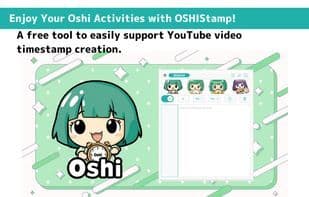
What is Oshistamp?
YouTube Video: Timestamp Creation Assistant Tool
This is a free tool designed to assist in creating timestamps for YouTube videos.
With intuitive controls, you can easily add and edit timestamps, while advanced users can utilize keyboard shortcuts for faster tasks.
It helps make your fan activities more enjoyable and convenient. Give it a try!
Key Features:
· Add Timestamps
While watching a video, simply click the "+" button to add the current timestamp.
· Change Timestamp Format
Choose between two timestamp formats:
- Short format (e.g., 2:30, 1:45:15)
- Full format (e.g., 00:02:30, 01:45:15)
When adjusting by ±1 second using shortcuts, the selected format will be applied.
· Jump to Timestamp
Click a timestamp link to skip to a specific point in the video.
· Fast Forward / Rewind
Use buttons to skip 5 seconds or keyboard shortcuts for 1-second adjustments.
· Video Screenshot
Download screenshots of the video in PNG format.
· Copy Timestamps
Copy created timestamps to the clipboard with a single click.
· Check Playback Time
View the real-time playback duration of the video on the screen.
· Auto-Save Feature
Timestamps are automatically saved to local storage, ensuring no data loss during work.
· Display Fan Image
Upload your favorite image to display on the screen, adding motivation to your fan activities!
(Supported dimensions: 430px × 70px; formats: JPG, PNG, SVG)
· Minimize Function
Minimize the screen to the bottom-right corner when not in use.
Keyboard Shortcuts (Ctrl + Shift or Alt):
· Ctrl + Shift/Alt + S: Add timestamp
· Ctrl + Shift/Alt + F: Insert timestamp
· Ctrl + Shift/Alt + Right: Skip 1 second forward
· Ctrl + Shift/Alt + Left: Skip 1 second backward
· Ctrl + Shift/Alt + Up: Adjust selected timestamp(s) forward by 1 second (supports multiple selections)
· Ctrl + Shift/Alt + Down: Adjust selected timestamp(s) backward by 1 second (supports multiple selections)
· Ctrl + Shift/Alt + Enter: Jump to the timestamp time at the cursor line
Privacy & Data Management:
This tool does not collect any user data. All data is saved locally and managed securely.
Disclaimer:
The developer is not responsible for any loss or damage resulting from the use of this tool. Please use it at your own discretion.
How to use Oshistamp?
OSHIStamp is a free YouTube video timestamp creation tool that supports easy timestamp creation and editing, along with AI summarization, to make fan activities more convenient.
Core Functions of Oshistamp
Timestamp
Usage Scenarios of Oshistamp
- Create and edit timestamps for YouTube videos to help viewers quickly locate content
- Semi-automatically summarize subtitled video content using Google AI Studio (e.g., Gemini API)
- Quickly jump to specific points in videos by clicking timestamp links
- Manage timestamps and notes for multiple YouTube videos with one-click navigation
- Download video screenshots in PNG format
- Adjust YouTube playback speed to suit different viewing needs
Common Questions about Oshistamp
What does OSHIStamp do?
How do I use OSHIStamp?
What are the core features of OSHIStamp?
What are the use cases for OSHIStamp?
















