




Product Information
What is Page screenshot for safari?
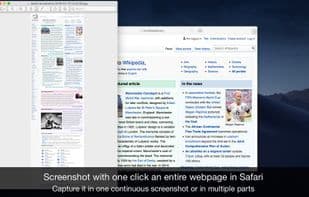
Page Screenshot for Safari is a fantastic extension that allows you to capture full-page screenshots or just a portion of a webpage with a single click, anytime.
Your images will automatically open in preview for easy editing (annotating, blurring sensitive information, printing, drawing, sharing). You can export the images in PNG, JPEG, and PDF formats.
**Features**
• Capture full-page screenshots of websites
• Take screenshots of selected areas or any visible part of a webpage
• Export as PNG, JPEG, or PDF (with images embedded in the PDF file)
• Capture long websites in one or multiple screenshots
• Automatically open images in preview for easy editing (cropping, annotating, drawing, etc.)
• Set a maximum height for full-page website screenshots
• Choose to retain or dismiss full retina resolution
• Simple to use, quick access, and highly user-friendly
**Support**
We read your support emails daily. Feel confident reaching out—whether it's a question, feedback, or a complaint, you'll receive a prompt response.
How to use Page screenshot for safari?
Page Screenshot for Safari is a Safari browser extension for quickly capturing full-page or partial screenshots of web pages, with support for editing in preview and exporting to multiple formats.
Core Functions of Page screenshot for safari
Full-screen screenshots
Annotate Screenshots
Edit screenshots
Safari extension
Full-page screenshots
Safari extension
Usage Scenarios of Page screenshot for safari
- Capture a screenshot of the entire website.
- Capture the selected area or visible portion of a webpage.
- Capture long web pages as single or multiple images.
- After capturing, annotate, blur, print, draw, or share the image.
- Export the screenshot as PNG, JPEG, or PDF format.
Common Questions about Page screenshot for safari
What does Page Screenshot for Safari do?
How do I use Page Screenshot for Safari?
What are the core features of Page Screenshot for Safari?
What are the use cases for Page Screenshot for Safari?
















