




Product Information
What is Play?
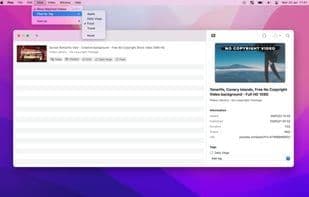
Play is the best way to bookmark YouTube videos for later. Add videos via Share Sheet or drag-and-drop, import lists, and view them in list, grid, or table (macOS). Search, filter, sort, and organize with tags. iCloud keeps everything synced across iPhone, iPad, and Mac. Add widgets to your home screen for one-tap watching. Core features include: • Share Sheet integration • Drag-and-drop for multiple videos • Import video URLs • Customizable home screen widgets • Siri Shortcuts • Tag organization • Sorting, filtering, and searching • Batch actions • iCloud sync • Downie integration for direct downloads on Mac.
How to use Play?
Play is an app for collecting and organizing YouTube videos for later viewing, helping users manage and watch videos effortlessly on Apple devices like iPhone, iPad, and Mac.
Core Functions of Play
Bookmark
Visual bookmarks
Usage Scenarios of Play
- Save YouTube videos to watch later on iPhone, iPad, or Mac.
- Quickly add videos via share menu, drag-and-drop, or importing URL lists.
- Efficiently organize and find saved videos using tags, search, filters, and sorting.
- Add custom widgets to the home screen for one-tap quick access to watching.
- Automate video management workflows with Siri Shortcuts.
- Download videos directly on Mac via Play's integration with Downie.
Common Questions about Play
What does Play do?
How do I use Play?
What are the core functions of Play?
What are the application scenarios for Play?
















