




Product Information
What is Rocky ai?
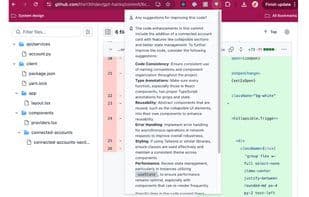
By activating this powerful AI tool, you can effortlessly interact with content on any webpage. Simply press CMD + K (on Mac) to open the extension in the current tab and start asking questions right away.
Popular Use Cases:
- **Summarize Articles** – Get concise overviews of content from sources like Hacker News, Reddit, and more.
- **Quick Information Lookup** – Easily find key details on a page, such as developer documentation, car forums, and other content.
- **Personalized LinkedIn Outreach** – Effortlessly craft tailored outreach messages for your LinkedIn connections.
- **Review Analysis** – Analyze feedback and reviews on platforms like Airbnb and Amazon for quick insights.
**Data Privacy & Collection:**
- **Your Privacy Matters** – The extension only accesses the content of the current tab when the popup is open (by clicking the icon or using the CMD + K shortcut).
- **How We Handle Data** – When you ask a question, we send the webpage’s content and your query to an AI language model (LLM). None of this data is stored on our servers; it is strictly routed to the LLM.
- **Usage Metrics** – We collect basic usage metrics, such as the hostname of the URL where the extension is used, to help us understand user behavior and continuously improve the extension.
How to use Rocky ai?
Rocky AI is a Chrome extension that uses artificial intelligence to help users browse the web more easily and interact with any web content.
Core Functions of Rocky ai
Ad-Free, No Registration Required, AI Summaries, AI-Powered
Ad-Free
No Registration Required
AI Summarization
AI-Driven
Usage Scenarios of Rocky ai
- Summarize articles
- Quick information lookup
- Personalized LinkedIn outreach
- Analyze Reviews
Common Questions about Rocky ai
What does Rocky AI do?
How do I use Rocky AI?
What are the core features of Rocky AI?
What are the use cases for Rocky AI?
















