




Product Information
What is Dark mode for safari?
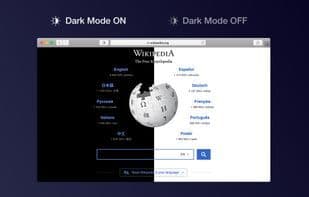
Dark mode makes your browser more comfortable, pleasant, and cool by adjusting color schemes for easier reading—ideal for night or low-light work or matching Mojave’s Dark Mode. Activate the extension to apply dark themes manually, on a schedule, or automatically with macOS Mojave Dark Mode. Customize themes (dark, soft dark, dark gray, or mono) and toggle dark mode with hotkeys (Cmd+Opt+K for temporary, Cmd+Opt+P for permanent).
How to use Dark mode for safari?
Dark Mode for Safari is a Safari extension that enhances browsing comfort by changing webpage color schemes for easier reading, ideal for nighttime work, low-light environments, or matching macOS dark mode.
Core Functions of Dark mode for safari
Dark Mode
Safari extension
Usage Scenarios of Dark mode for safari
- Use the browser during night work
- Read web content in low-light environments.
- Align Safari's appearance with macOS dark mode
- Enable or disable dark mode for specific websites
Common Questions about Dark mode for safari
What does Dark Mode for Safari do?
How do I use Dark Mode for Safari?
What are the core features of Dark Mode for Safari?
What are the use cases for Dark Mode for Safari?
















