




Product Information
What is Screen-studio?
Screen Studio is highly praised for its ease of use and ability to quickly create professional-quality screen recordings. Users appreciate its smooth interface, built-in editing features, and customizable effects, making it ideal for tutorials, demos, and presentations. June highlighted its effectiveness for product demonstrations, while Screen Space commended its high-quality output. Recall noted its simplicity and premium feel, emphasizing its suitability for both beginners and advanced users. Overall, Screen Studio is a valuable tool for content creators seeking efficient and polished video production.
How to use Screen-studio?
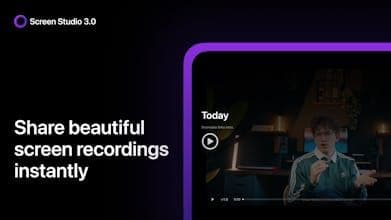
Screen Studio is a macOS screen recording tool that helps users quickly create professional and visually appealing screen recordings, ideal for tutorials, demos, and product showcase videos.
Core Functions of Screen-studio
Auto-zoom mouse operation area
Smooth mouse movement trajectory
Adjust cursor size after recording
Auto-hide idle cursor
Support vertical mode export
Custom backgrounds and brand styles
Usage Scenarios of Screen-studio
- Create product demo videos
- Create online course content.
- Record software usage tutorials.
- Produce short social media videos.
- Conduct professional presentation reports
Common Questions about Screen-studio
What does Screen Studio do?
How do I use Screen Studio?
What are the core features of Screen Studio?
What are the application scenarios of Screen Studio?
















