



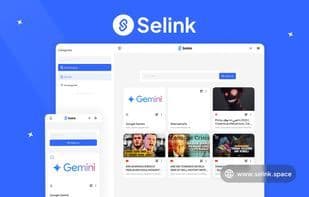

Product Information
What is Selink?
🚀__Selink - Link Manager
Effortlessly manage, organize, and personalize your links. Take control of all your important links with ease. Our platform is designed to help you seamlessly organize links into custom categories, switch between light and dark themes to suit your preferences, and access everything from anywhere—even with just a quick QR code scan.
Enjoy the freedom to personalize saved links with custom thumbnails, ensuring your dashboard truly reflects your style. Most importantly, your data privacy is fully respected: all links are securely stored in your browser using LocalStorage, meaning none of them ever touch a remote database. Combined with powerful import/export tools, you always retain complete control over your data.
This solution is perfect for individuals, professionals, and teams who want a secure, private, and visually pleasing way to manage their most valuable online resources.
🔐 No Login Required – Start Instantly
Save time and protect your privacy. Absolutely no registration or account creation is needed. You can start organizing links the moment you open the app—no sharing of emails or personal details required.
🌙 / ☀️ Dark & Light Mode
Effortlessly switch between dark mode for a sleek, eye-friendly nighttime experience and light mode for a bright, clean daytime look. Your theme preference is automatically saved in your browser.
🗂 Custom Categories
Organize your way with fully customizable categories. Whether you’re grouping by project, topic, client, or personal interest, you have complete flexibility to structure everything to match your workflow.
🔳 QR Code for Every Link
Every link you save automatically gets a unique QR code, making it incredibly easy to open it on your smartphone or share it with others. Just scan and go—no typing needed.
🖼 Simple Link Thumbnail Editor
Stand out and personalize your dashboard by editing link thumbnails. Upload custom images or choose from preset icons to make your links visually intuitive and easy to navigate.
💾 Link Backup: Import & Export
Your data stays 100% in your hands. With simple import/export features, you can back up your entire link collection anytime. Move settings to another device or restore it in just a few clicks whenever needed.
How to use Selink?
Selink is a clean, powerful link management tool for easily organizing and personalizing important links. Emphasizing data privacy, links are securely stored in-browser with import/export features for full user control.
Core Functions of Selink
Privacy-Focused
Dark mode
No Tracking
No Registration Required
Ad-Free
Privacy-Focused, Dark Mode, No Tracking, No Sign-Up, No Ads
Usage Scenarios of Selink
- Grouping and Managing Links by Project, Topic, Client, or Personal Interest to Match Individual Workflows.
- Quickly Opening Links or Sharing Them with Others on Smartphones by Scanning Automatically Generated QR Codes for Each Link.
- Customizing Link Thumbnails by Uploading Images or Selecting Preset Icons to Make the Dashboard More Personalized and Visually Intuitive.
- Backing Up the Entire Link Collection to a Local .selink File, Migrating Settings to Other Devices, or Restoring Data as Needed.
Common Questions about Selink
What does Selink do?
How do I use Selink?
What are the core features of Selink?
What are the application scenarios for Selink?
















