




Product Information
What is Sessions?
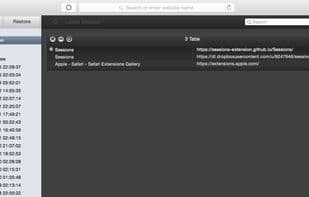
Keeping up with new information on the internet can be tough. If you've ever found yourself overwhelmed by open tabs but reluctant to close them, needed to save links for later, or simply wanted to shift mental context to new tabs without losing track of the old ones, Sessions is here to help. Sessions keeps tabs—literally—on your open windows and tabs. With a single click, you can save a snapshot of your session at any time and return to it later at your leisure, ensuring everything stays fresh and secure. Sessions is efficient, lightweight, and hassle-free; once auto-backup is enabled, you won’t have to think about it until you need it. Every aspect of its design has been thoughtfully considered and infused with familiar Mac sensibilities. With Sessions' robust tab management and search capabilities, losing links could soon be a thing of the past.
How to use Sessions?
Sessions is a Safari extension for managing excessive tabs and history by saving snapshots of sessions for easy restoration.
Core Functions of Sessions
Tab Manager, Safari Browser Extension
Tab Manager, Safari Extension
Usage Scenarios of Sessions
- When the browser has too many tabs open, causing clutter but you don’t want to close them.
- When you need to save an important link for later viewing.
- When switching to a new work or thought context without old tab distractions.
- Avoid losing currently open tabs due to accidental browser closures.
- When searching and organizing saved tabs is needed.
Common Questions about Sessions
What does Sessions do?
How do I use Sessions?
What are the core features of Sessions?
What are the use cases for Sessions?
















