



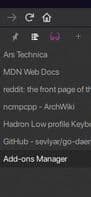

Product Information
What is Sidebery?
Features
Vertical Layout
Bookmark Operations
Contextual Identity Management
Sync Containers
Different Proxy Settings per Container
Create Tab Snapshots for Easy Restoration
Light and Dark Themes
Configurable Navigation
Select Multiple Tabs with the Correct Mouse Button
Usage
Open - Ctrl+E (Windows: F1) or Click the Extension Button
Switch to Next Panel - Alt+Period or Scroll Right (if configured)
Switch to Previous Panel - Alt+Comma or Scroll Left (if configured)
Create New Tab in Current Panel - Ctrl+Space or Middle-Click the Panel
Close Tab - Ctrl+Delete (macOS: Ctrl+W)
Select Tab and Open Context Menu - Press Right Mouse Button, Then Move Cursor
Select All - Alt+G
Select Next/Previous Element - Alt+Down/Up
Open Panel Menu - Right-Click the Panel Icon
How to use Sidebery?
Sidebery is a Firefox browser extension that enhances tab and bookmark management through a sidebar, helping users organize and control browsing sessions more effectively.
Core Functions of Sidebery
Lightweight
Privacy-Focused
Tab manager
Tree structure
No Registration Required
Ad-Free
Usage Scenarios of Sidebery
- Manage and organize tabs, bookmarks, and history in the sidebar.
- Use vertically arranged tabs and organize them more effectively.
- Set up independent proxies for different containers, such as SOCKS or HTTP/S proxies.
- Create tab snapshots for easy restoration when needed.
- Perform batch operations through multi-select tabs, such as opening context menus.
Common Questions about Sidebery
What does Sidebery do?
How do I use Sidebery?
What are the core features of Sidebery?
What are the use cases for Sidebery?
















