




Product Information
What is Sigmaos?
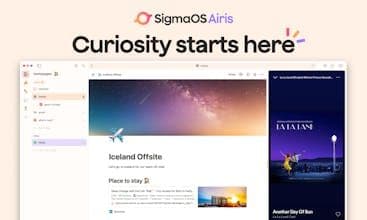
The SigmaOS Browser has received mixed reviews, with users praising its innovative features such as workspaces, split-screen mode, and shortcuts that enhance productivity and organization. Many appreciate its clean interface and ability to efficiently manage tabs, making it a preferred choice over traditional browsers like Safari and Chrome. However, some users have expressed concerns over its lack of support for extensions, limited platform availability, and insufficient customer support. Despite these issues, the SigmaOS Browser is seen as a promising tool for those seeking a more streamlined browsing experience.
How to use Sigmaos?
SigmaOS Browser is a productivity-focused browser offering innovative workspaces, split-screen, and shortcuts for a smoother, smarter internet experience.
Core Functions of Sigmaos
Lightweight, privacy-focused, supports plugins/extensions, dark mode, blocks trackers, cloud sync
Workspace: Efficiently organize and manage tabs
Vertical tabs: Clear overview of all open pages
Tab tasking: Mark tabs as completed or locked
Split-screen: Work with two web pages simultaneously
Lazy search: Quick search for tabs, web, commands, and bookmarks
AI-assisted Q&A: Get contextual answers from web content
Usage Scenarios of Sigmaos
- Enhance daily internet and work efficiency.
- Effectively manage and organize numerous web tabs.
- When handling multiple web tasks simultaneously.
- Quickly find and search for needed information.
- Get smart contextual explanations of web content.
- Conduct online learning and research new knowledge.
Common Questions about Sigmaos
What does SigmaOS do?
How do I use SigmaOS?
What are the core features of SigmaOS?
What are the use cases for SigmaOS?
















