
Product Information
What is Slides-2?
Slides is where you create, present, and share presentations. The Slides editor is available right in your browser. Unlike traditional presentation software like PowerPoint, there's no need to download anything.
How to use Slides-2?
Slides is an online presentation tool for creating, displaying, and sharing presentations without downloads. Users can directly create and edit modern presentations in their browsers, leveraging AI and collaboration features for efficiency.
Core Functions of Slides-2
Create, edit, and share presentations online
Using AI to enhance content and generate text
Supports remote or on-site demonstrations, offering real-time control mode.
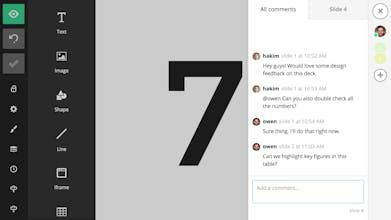
Team collaboration features, including shared assets and theme customization
Provide open-source formats, supporting advanced customization and offline export.
The phone can serve as a presentation remote control.
Usage Scenarios of Slides-2
- Personal Online Slide Creation and Display
- Presenting in Meetings, Conference Calls, or on Stage
- Team Collaboration on Presentation Creation
- Developers Leveraging Open Source for Deep Customization
- Scenarios Requiring Offline Display or Self-Hosted Presentations
Common Questions about Slides-2
What does Slides do?
How do I use Slides?
What are the core features of Slides?
What are the application scenarios of Slides?