




Product Information
What is Smartplay - for safari browser?
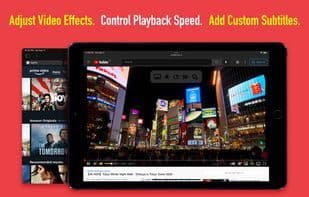
SmartPlay is a Safari web extension that provides you with additional controls and features while watching video streams on popular websites (e.g., video effects, playback speed, custom subtitles, auto-skip intros, IMDB ratings, etc.).
For iPhone, it supports YouTube, Twitch, iQiyi, and more. For iPad, it supports Netflix, YouTube, Prime Video, Twitch, iQiyi, and others. It's easy to use, doesn’t track you, or collect any personal information. Simply play your favorite movies, TV shows, or videos, and it will appear on top of Safari’s player!
The Safari web extension was first introduced at WWDC in June 2021. It is the first Safari web extension that gives you full control over online video streaming.
- Key Features -
Display IMDB ratings and votes for each movie or TV show (Netflix on iPad only).
Access Netflix’s hidden categories and search filters (Netflix on iPad only).
Adjust video brightness, saturation, contrast, and grayscale. Preview changes in real-time.
Control playback speed (from 0.5x to 5x). Speed up slow movies or slow down videos when learning a new language on Netflix.
Quick rewind (60 seconds).
Auto-skip intros and recaps. No need to press the SKIP button every time (Netflix on iPad only).
Add multiple custom subtitles (in SRT or VTT format) to video streams. Supports any language. Customize subtitle position, color, size, background color, opacity, time offset, font family, and encoding.
Zoom in on videos.
Reposition the video.
Display detailed information about the video stream (Netflix on iPad only), including video, audio, and network details (e.g., resolution, frame rate, bitrate, codec, HDR support, current CDN, throughput, movie ID, etc.).
- How to Set Up -
Open the app and click the button on the welcome screen. This will take you to the settings page. Then, go to Safari (for iPad, check the left pane) > Extensions > SmartPlay, and toggle the switch to enable it.
On the same screen, tap "All Websites" > "Allow" to grant permission for SmartPlay to run on all websites. Now you’re all set! When watching videos in Safari, you should see SmartPlay’s overlay menu.
Note: You can access SmartPlay settings by tapping the "Manage Extensions" icon in Safari’s address bar.
Note: On iPhone, the overlay menu is not accessible when videos are played in full-screen mode.
How to use Smartplay - for safari browser?
SmartPlay is a Safari browser extension that provides users with additional controls and features when streaming videos on popular websites, enhancing the online video viewing experience.
Core Functions of Smartplay - for safari browser
Browser extension
Browser Extension
Usage Scenarios of Smartplay - for safari browser
- Speed up playback when watching slow-paced movies.
- Watch videos at a slower speed when learning a new language.
- Automatically skip intros and recaps when watching movies or TV shows.
- Add multilingual custom subtitles to video streams and adjust styles.
- Adjust video brightness, saturation, contrast, and other visual effects.
- View IMDB ratings and votes for movies or TV shows.
Common Questions about Smartplay - for safari browser
What does SmartPlay do?
How do I use SmartPlay?
What are the core features of SmartPlay?
What are the application scenarios for SmartPlay?
















