




Product Information
What is Stopthemadness?
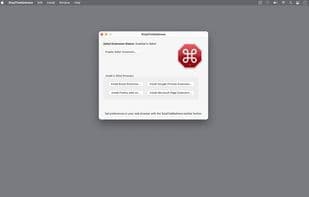
StopTheMadness is a Safari extension for Mac that prevents websites from making Safari harder to use. Some sites disable Mac user interface features in Safari that you'd normally expect to work. For example:
• Password autofill
• Clicking to open links in new tabs
• Keyboard shortcuts
• Selecting, copying, cutting, and pasting text
• Drag and drop
• Opening context menus
StopTheMadness ensures these features continue to function in Safari. With StopTheMadness enabled, annoying websites that deliberately make your life more difficult suddenly become easy to use!
How to use Stopthemadness?
StopTheMadness is a Safari extension for Mac, preventing websites from disabling standard UI features for smoother browsing.
Core Functions of Stopthemadness
Browser Extension, Safari Extension
Usage Scenarios of Stopthemadness
- When a website disables password autofill, StopTheMadness restores it.
- When a website prevents opening links in new tabs with Command-click, StopTheMadness fixes the issue.
- When a website blocks text selection, copying, cutting, and pasting, StopTheMadness restores these functions.
- When a website disables drag-and-drop, StopTheMadness makes it available again.
- When a website blocks the context menu, StopTheMadness ensures it displays normally.
Common Questions about Stopthemadness
What does StopTheMadness do?
How do I use StopTheMadness?
What are the core features of StopTheMadness?
What are the use cases for StopTheMadness?
















