




Product Information
What is Student-os-all-in-one-dashboard?
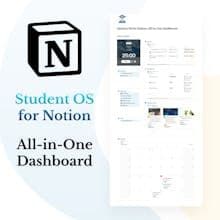
🎓 Conceptual Student OS: Your Comprehensive Academic Hub! Step into an organized academic world with Student OS, a conceptual template that's more than just a dashboard—it's a full-fledged operating system tailored for students.
How to use Student-os-all-in-one-dashboard?
Student OS is a Notion template helping students comprehensively organize academic life for better efficiency and balance.
Core Functions of Student-os-all-in-one-dashboard
Course and Curriculum Management
Assignment Deadline and Progress Tracking
Exam Schedule and Review Preparation
Study materials and notes organization
Academic Project Task Management
Daily Tasks and To-Do List Management
Usage Scenarios of Student-os-all-in-one-dashboard
- Manage course schedules, syllabi, and teacher information.
- Track deadlines and priorities for all course assignments.
- Plan, schedule, and prepare for exams.
- Organize and access all study materials and resources.
- Manage part-time work schedules and income.
- Monitor personal income, expenses, and budget.
Common Questions about Student-os-all-in-one-dashboard
What does Student OS do?
How do I use Student OS?
What are the core features of Student OS?
What are the application scenarios for Student OS?
















