




Product Information
What is Supermium?
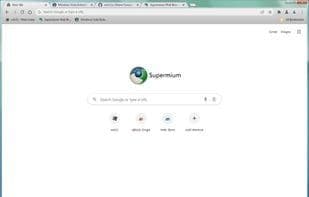
Supermium is a replacement for Google Chrome with enhanced privacy and usability features, optimized for both legacy and modern Windows systems. Developed by Win32 (Win32SS on GitHub), this website aims to provide additional information about the project and reduce its reliance on GitHub. As such, the site does not enforce HTTPS/SSL, keeping older platforms in mind. Essentially, you don’t need a modern web browser to download Supermium!
The Supermium web browser also offers the following features:
- Aero Glass and Aero-style title bars instead of Windows 10-style transparency (use `#chrome://flags` for the latter)
- Critical vulnerability patches often applied within a week of upstream disclosure
- A functional sandbox for improved security
- Google Sync support
- Widevine CDM support for DRM content on Windows 7 and above
- GDI font rendering (enable via `#force-gdi://flags` in Chrome)
- Dark mode for browser UI elements (enable via `#dark-mode://flags` in Chrome)
- Custom tab options, including trapezoidal tabs, transparent tabs, and outlined tabs
- Flags for power users
- SSE2-only processor support in 32-bit builds
Future support plans include:
- Windows 2000 compatibility
- Removal of Google-specific features (in progress)
- WebGPU for D3D9 renderer
- Manifest V2 (before Google phases it out)
...and more! If there’s a feature you want that can’t be replicated via Manifest V2/V3 extensions, just ask!
How to use Supermium?
Supermium is a modern Chromium-based web browser designed to replace Google Chrome, optimized for both legacy and modern Windows systems with enhanced privacy and usability while restoring classic Chrome features.
Core Functions of Supermium
Support Themes
Privacy-Focused
Lightweight
Extensible via plugins/extensions
No Registration Required
Cloud Sync
Usage Scenarios of Supermium
- Run the latest Chromium browser on legacy Windows systems like XP, 2003, Vista, and 7.
- Replace Google Chrome while retaining classic features and gaining privacy and usability enhancements.
- Watch DRM-protected content on Windows 7 and later.
- Personalize the browser interface with options like Aero Glass-style title bars, GDI font rendering, and custom tabs.
- Continue using Chrome extensions dependent on Manifest V2.
Common Questions about Supermium
What does Supermium do?
How do I use Supermium?
What are the core features of Supermium?
What are the use cases for Supermium?
















