
Product Information
What is True key?
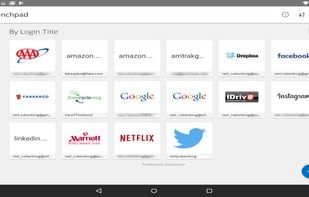
McAfee's True Key offers a secure way to unlock your digital world. The True Key app eliminates the hassle of remembering multiple passwords and instantly logs you into your favorite sites. You can sync your True Key profile across phones, tablets, and computers, enjoying greater control over your digital identity.
Simple, Instant Access
Use Face Login to unlock the True Key app with your unique facial recognition
From the moment you open your True Key profile, it helps you get where you want to go faster.
Enjoy instant access to your apps, websites, and devices
Store and auto-fill your password details—no typing or memorizing required
Sync across all devices and have your information at hand
Use second-device authentication as an extra factor when logging in—just swipe the notification on your second device to verify it's you
With You, Wherever You Are
Make the most of the True Key app by downloading it across all your devices and browsers. Your data syncs automatically, so you’ll have what you need when you need it.
How to use True key?
True Key is a password manager that helps users securely unlock the digital world through biometric authentication and other methods, eliminating the hassle of remembering multiple passwords and enabling instant logins.
Core Functions of True key
Browser extension
Browser Extension
Usage Scenarios of True key
- Use facial recognition to unlock the True Key app
- Instant access to apps, websites, and devices
- Automatically store and fill in password details without manual entry
- Sync True Key profiles across phones, tablets, and computers
- Use a second device for authentication at login
- Log in with fingerprints on PC, Mac, iOS, or Android devices
Common Questions about True key
What does True Key do?
How do I use True Key?
What are the core features of True Key?
What are the use cases for True Key?