




Product Information
What is Turbo download manager?
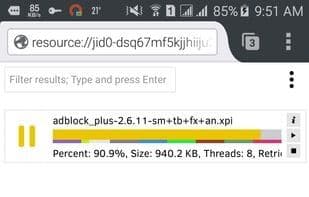
Turbo Download Manager is a multi-threaded download manager for Chrome and Opera as a browser extension, and for Android, Windows, Linux, and Mac OS as a standalone application. It can be used to enhance your download speeds and safeguard your downloads on unstable internet connections by resuming broken transfers.
**Features**
- Supports multi-threading
- Supports pause and resume functionality
- Reliable even on slow internet connections
- Provides API support for external access
- Compatible with all major browsers
- Supports downloading from multiple mirrors
- Enables previewing media files (video, audio, and image formats) even before the file is fully downloaded
How to use Turbo download manager?
Turbo Download Manager is a multi-threaded download manager available as a browser extension or standalone app. It aims to increase download speeds and protect files by resuming interrupted downloads during unstable connections.
Core Functions of Turbo download manager
Real-Time Preview
Resume Interrupted Downloads
Support multi-threading
Opera Extension
Usage Scenarios of Turbo download manager
- Improve file download speed
- Protect downloads from interruption with unstable network connections
- Download files from multiple mirror sources
- Preview media content (videos, audio, images) before full download
Common Questions about Turbo download manager
What does Turbo Download Manager do?
How do I use Turbo Download Manager?
What are the core features of Turbo Download Manager?
What are the use cases for Turbo Download Manager?
















