




Product Information
What is Twitch clips downloader?
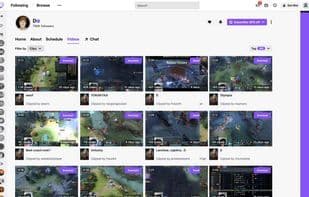
This extension allows you to download clips from any Twitch channel. Game clips, IRL moments, live competitions, clips featuring your favorite artists and professional players—now, all of these can be downloaded to your computer!
Simply install the extension, and you'll see a "Download" button at the top of the video. Click the button, and the download process will start promptly.
Additionally, the same button appears on the clip's page, allowing you to save the video in the same way. Now, you can watch clips locally without an internet connection.
Please note that Twitch Clips Downloader is not responsible for the media content you download.
We recommend checking the copyright permissions of the media before downloading video files.
How to use Twitch clips downloader?
Twitch Clips Downloader is a browser extension that lets users download clips from any Twitch channel to save videos locally for offline viewing.
Core Functions of Twitch clips downloader
Video download
Usage Scenarios of Twitch clips downloader
- Download Game Clips
- Download IRL (In Real Life) Clips
- Download Live Tournament Clips
- Download Clips of Favorite Artists and Pro Gamers
- Watch Twitch Clips Without an Internet Connection
Common Questions about Twitch clips downloader
What does Twitch Clips Downloader do?
How do I use Twitch Clips Downloader?
What are the core features of Twitch Clips Downloader?
What are the use cases for Twitch Clips Downloader?
















