




Product Information
What is Ukick?
Lock, enhance, and adjust everything for a better streaming experience.
Take full control of your Kick experience with uKick—a Chrome/Edge/Firefox extension (and userscript) that lets you block unwanted content and tweak streams for a cleaner, more personalized viewing experience.
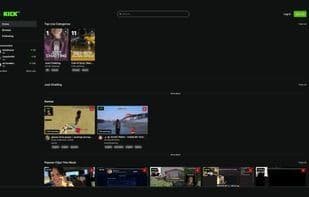
With uKick, you can hide Kick.com channels, remove categories, block toxic chat messages, and enhance streams with adaptive quality control and boosted volume. All changes apply instantly, giving you complete control over the homepage, sidebar, live chat, and video player.
**Key Features:**
🛑 **Block Channels & Categories** – Instantly hide streams, categories, and sidebars you don’t want to see
💬 **Filter Chat Users** – Automatically remove messages from blocked users in Kick.com chat
🛑 **Quick Block Button** – Add one-click blocking next to usernames and stream cards
🧰 **Live Updates** – Changes apply immediately on Kick.com
🧰 **Manage Your Lists** – Import, export, view, or clear block lists anytime
🎥 **Adaptive Stream Adjustments** – Set your preferred resolution (4K–160p) and let uKick auto-adjust quality
🔊 **Volume Boost (1x→10x)** – Go beyond Kick’s default volume limits for better audio
🔒 **Privacy-Friendly** – Only runs on Kick.com
**Who Should Use uKick?**
✔ Kick.com users who want a cleaner, distraction-free feed
✔ Viewers avoiding specific streamers, topics, or categories
✔ Parents filtering inappropriate content
✔ Users who want better control over video quality and sound
✔ Anyone who values custom control over their Kick.com experience
How to use Ukick?
No usage instructions available, please contact customer service for details
Core Functions of Ukick
Filtering
Content screening
Microsoft Edge extension
Microsoft Edge extensions
Filter
Content filtering
Usage Scenarios of Ukick
No usage scenarios available, please contact customer service for details
Common Questions about Ukick
No common questions available, please contact customer service for details
















