
Product Information
What is Privacy extension for whatsapp™ web?
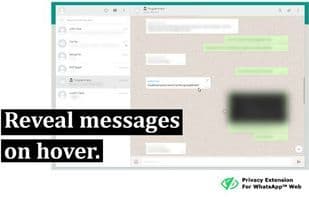
To enhance privacy in public spaces, this extension blurs your messages and other content, revealing them only when you hover over them with your mouse cursor. Additionally, you can quickly toggle all effects using a keyboard shortcut or by clicking the "Toggle" button in the extension menu.
It adapts to your needs by letting you choose which elements to blur. The key options include:
- All messages in chat: Blurs all messages in the current conversation.
- Last message preview: Blurs all message previews on the left sidebar.
- Media preview: Blurs all images, videos, stickers, etc., separately from text.
- Profile pictures: Blurs all profile pictures.
How to use Privacy extension for whatsapp™ web?
This is a browser extension designed to enhance privacy when using WhatsApp™ Web in public spaces by blurring messages and other content, revealing them only upon mouse hover.
Core Functions of Privacy extension for whatsapp™ web
Privacy focused
Browser extension
Privacy-focused browser extension
Usage Scenarios of Privacy extension for whatsapp™ web
- Protect privacy when using WhatsApp™ Web in public spaces.
- Prevent others from peeking at chat messages and media.
- Customize blurred display elements like chat messages, media previews, and profile pictures based on personal needs.
- Quickly toggle privacy protection via shortcuts or extension menus.
Common Questions about Privacy extension for whatsapp™ web
What does Privacy Extension For WhatsApp™ Web do?
How do I use Privacy Extension For WhatsApp™ Web?
What are the core features of Privacy Extension For WhatsApp™ Web?
What are the use cases for Privacy Extension For WhatsApp™ Web?