




Product Information
What is Xbrowser?
Ultra-fast, ad-blocking, video sniffing, built-in Greasemonkey script support. Minimalist and super speedy.
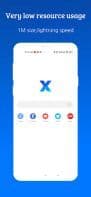
1MB in size, uses minimal resources. Exceptionally smooth and quick.
Ad Blocking
Superior ad-blocking capability, helping you eliminate 80% of malicious ads. Supports importing and subscribing to third-party blocking rules.
Video Sniffing
Advanced video sniffing feature, making it easy to save online videos.
User Scripts
Built-in support for Greasemonkey and Tampermonkey user scripts, significantly enhancing browser functionality.
Security and Privacy
Requests very few permissions, no background resident services, no push notifications, and offers numerous security and privacy options.
Auto-Fill
Automatically fills in saved information such as usernames, passwords, addresses, etc.
Personalized Customization
Provides a wide range of personalization options for appearance, gestures, shortcuts, and more, all adjustable to your preferences.
How to use Xbrowser?
XBrowser is a fast, lightweight mobile browser with robust ad-blocking, video sniffing, and user script support (e.g., GreaseMonkey, Tampermonkey), offering a clean, secure, and highly customizable browsing experience.
Core Functions of Xbrowser
Privacy-Focused
Lightweight
Website Translation
Cloud Sync
Shield Trackers
Ad-Free
Usage Scenarios of Xbrowser
- Block malicious ads while browsing for an uninterrupted reading experience.
- Easily sniff and save video content from the internet.
- Extend browser functionality with built-in user scripts (e.g., Tampermonkey) for specific needs.
- Automatically fill in form information like usernames, passwords, and addresses to improve online efficiency.
- Customize browser appearance, gestures, and shortcuts based on personal preferences for a personalized experience.
Common Questions about Xbrowser
What does XBrowser do?
How do I use XBrowser?
What are the core features of XBrowser?
What are the use cases for XBrowser?
















