
Product Information
What is Androirc?
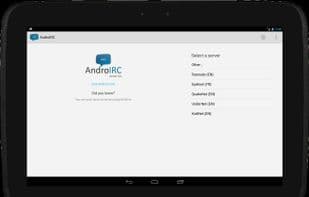
AndroIRC is your new IRC client!
Features:
• mIRC colors
• Auto-join channels on startup
• NickServ authentication
• Android notifications
• Copy and paste
• Logging
• SASL auth (plain and blowfish)
• Multiple server connections (SSL support)
• Easy access menu to kick, ban, change permissions...
• FiSH support (requires Android 2.3 or higher)
• Tablet support
• SSL certificate support
• /ignore support
• Nick and channel completion
• Proxy support
• Shortcuts
• Handles irc:// links
• And much more!
If you'd like to report an issue or bug, please use our support page: http://www.AndroIRC.com/support. You can also find all the latest news on our website, http://www.AndroIRC.com.
Note: Starting with AndroIRC 3.2, new permissions are required to access your location. This is solely for the new "Share my location" action and nothing else! Additionally, AndroIRC does not have access to your precise location (provided by GPS), only an approximate one (provided by the network).
How to use Androirc?
AndroIRC is a feature-rich IRC client designed to help users connect to multiple IRC servers, engage in real-time chat, manage channels, and authenticate, while supporting various advanced features to enhance the IRC experience on mobile devices.
Core Functions of Androirc
Internet Relay Chat
Usage Scenarios of Androirc
- Connect to multiple IRC servers for real-time chat.
- Automatically join frequently used channels for quick participation in discussions.
- Authenticate using NickServ or SASL.
- Copy-paste text in chats and log chat conversations.
- Easily manage channel users via menus, such as kicking, banning, or changing permissions.
- Use an IRC client on Android phones or tablet devices.
Common Questions about Androirc
What does AndroIRC do?
How do I use AndroIRC?
What are the core features of AndroIRC?
What are the use cases for AndroIRC?