




Product Information
What is Darksky for bluesky?
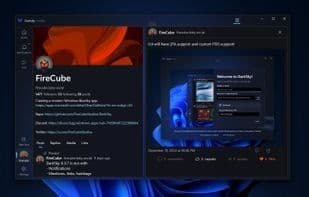
DarkSky brings BlueSky to Windows with a sleek, modern design aimed at delivering the best user experience. Easily navigate your feed, profile, posts, replies, and media—all within one intuitive app.
As a community-driven application, DarkSky is evolving rapidly, with frequent updates and new features added regularly. A dedicated Discord and GitHub repository allow you to directly influence the app's development and help shape its functionality.
👉 Download DarkSky now and experience the first BlueSky client built specifically for Windows!
Note: The app is currently in rapid development, so not all BlueSky features may be available yet. Check out the roadmap below for planned functionalities.
🚀 Roadmap: What’s Coming Next?
🔄 Multiple Accounts – Seamlessly switch between accounts.
💬 Chats/DMs – Connect privately with friends and followers.
📜 Custom Feeds – Organize your content the way you want.
Get involved early and help shape the future of DarkSky! 🌩
How to use Darksky for bluesky?
DarkSky for BlueSky is a BlueSky client designed specifically for Windows, featuring a modern interface and smooth user experience, enabling users to effortlessly explore various content on BlueSky.
Core Functions of Darksky for bluesky
Privacy Protection
User-friendly
Dark Mode
Ad-Free
No Tracking
Windows UWP
Usage Scenarios of Darksky for bluesky
- Browse updates.
- View profiles.
- Read posts.
- View replies.
- Browse media content.
Common Questions about Darksky for bluesky
What does DarkSky for BlueSky do?
How do I use DarkSky for BlueSky?
What are the core features of DarkSky for BlueSky?
What are the use cases for DarkSky for BlueSky?



















