




Product Information
What is Kde connect?
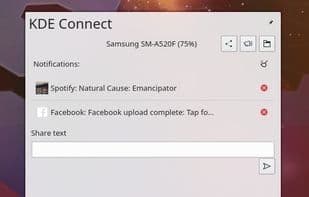
KDE Connect is a software that facilitates communication between devices. It enables users to receive phone notifications and reply to messages on their desktop computers. Additionally, it allows controlling desktop music via a mobile phone and executing predefined commands on the computer through connected devices. Users can monitor their phone's battery level, make phone calls, and share files and links between devices. It also offers the capability to browse the phone from the desktop, control the desktop's volume using the phone, and send text messages from the desktop.
How to use Kde connect?
KDE Connect is software that facilitates communication between devices, enabling users to receive phone notifications and reply to messages on desktops, remotely control desktop music, execute predefined commands, and share files and links. Its core value lies in providing seamless cross-device connectivity and convenient operation.
Core Functions of Kde connect
Privacy-Focused
Lightweight
Shared Clipboard
Remote Media Control
Send and Receive SMS
Real-time synchronization
Usage Scenarios of Kde connect
- Receive phone notifications on desktop and reply to SMS directly.
- Remotely control desktop music playback and volume from a phone.
- Easily share files and links between computers and phones.
- Use a phone as a presentation remote or virtual touchpad.
- Execute predefined PC commands like shutdown or lock screen from a phone.
- Ring to locate a lost phone or check phone battery level.
Common Questions about Kde connect
What does KDE Connect do?
How do I use KDE Connect?
What are the core features of KDE Connect?
What are the use cases for KDE Connect?



















