




Product Information
What is Kotatogram desktop?
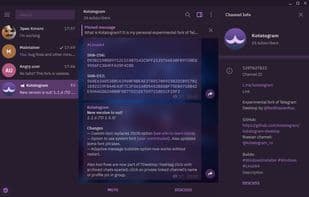
Kotatogram Desktop is a modified version of the official Telegram desktop application. Along with all the features available in the official app, it includes additional functionalities such as:
- Local folders
- Forwarding without quotes (also known as copy forwarding)
- Custom fonts
- Wide message bubbles
- Default folders
- Compact chat list
- Forwarding sticker messages
- Customizable sticker sizes
- Call confirmation before dialing
- And many more.
Kotatogram Desktop is free and open-source (GPLv3 with OpenSSL exception, same as Telegram Desktop).
How to use Kotatogram desktop?
Kotatogram Desktop is a modified version of the official Telegram Desktop app, retaining all official features while adding more practical and aesthetic experimental features to enhance the user experience.
Core Functions of Kotatogram desktop
Telegram
Usage Scenarios of Kotatogram desktop
- Manage local folders with unlimited chats, pins, and folders, plus new filtering modes like excluding non-admin chats.
- Forward messages without references, quickly copying content to other chats without copy-paste or re-uploading files, and grouping files into albums.
- Customize fonts for better readability or visual appeal, changing default and monospace fonts.
- Use wide message bubbles for unlimited message viewing on large screens.
- Resize stickers and display their forwarding information.
- Confirm before making calls to avoid misoperations.
Common Questions about Kotatogram desktop
What does Kotatogram Desktop do?
How do I use Kotatogram Desktop?
What are the core features of Kotatogram Desktop?
What are the use cases for Kotatogram Desktop?



















