




Product Information
What is Materialgram?
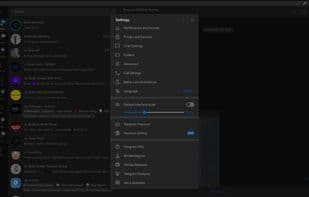
Telegram Desktop fork featuring Material Design and other enhancements, built on the Telegram API and MTProto secure protocol.
Features
- Includes custom Material You themes and shaders (light, dark)
- Uses Google Sans font throughout (except for Arabic characters, which use Vazir font)
- Material icons replace the default ones
- Added feature to search for circular videos
- Removed message bubble tails and restored old padding
- Replaced all sounds
- Reduced image compression
- Decreased minimum window size
- Shortened timeouts
- Increased upload speeds
- Improved spoiler animations
- Buttons use sentence-case capitalization
- Enhanced sticker pack menu with a mobile-like button layout + ability to copy author ID
- Shows approximate account creation date in profiles
How to use Materialgram?
Materialgram is a fork of Telegram Desktop, built upon the Telegram API and MTProto security protocol. It incorporates Material Design aesthetics, Material icons, and various other enhancements, aiming to deliver a more visually appealing and optimized user experience.
Core Functions of Materialgram
Dark Mode
Telegram
Material Design
Usage Scenarios of Materialgram
- Want to experience Material Design style and custom themes in the Telegram Desktop client.
- Need to fast-forward or rewind while watching circular videos.
- Pursue faster image upload speeds and smaller image compression.
- Need to view the approximate creation date of a Telegram account.
- Want to use an improved sticker pack menu and copy author IDs.
- Use the Telegram client in smaller window sizes.
Common Questions about Materialgram
What does Materialgram do?
How do I use Materialgram?
What are the core features of Materialgram?
What are the use cases for Materialgram?



















