




Product Information
What is Mysms?
mySMS Messenger is a completely free messaging service that allows you to send text messages from smartphones, computers, and tablets. mySMS works across platforms and remains free forever. Stay connected with your friends and family no matter where they are.
Why you should use mySMS:
Completely Free: Send messages to all your contacts at no cost.
Group Chats: Chat with up to 50 people at once.
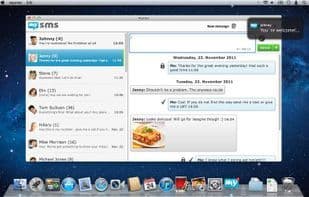
Text from Your Computer: Use mySMS on Mac, PC, or tablets and type comfortably with your computer keyboard.
Automatic Sync: Your messages stay synced across all your devices.
Send Photos: A picture is worth a thousand words! With mySMS, share your happiest moments with family and friends via iPhone or desktop.
Save Texts to Evernote (Premium Feature): mySMS integrates with Evernote, so you’ll never lose a message again. Save, manage, and search your texts in your Evernote account.
How to use Mysms?
mySMS Messenger is a free cross-platform messaging service that allows users to send SMS and MMS on smartphones, computers, and tablets, helping them stay connected with friends and family.
Core Functions of Mysms
SMS Functionality
Desktop Application
Send SMS from Computer
SMS Messaging
SMS/text message backup
Evernote Integration
Usage Scenarios of Mysms
- Send Free Messages to All Friends.
- Group Chat with Up to 50 People.
- Type and Send Messages Comfortably Using a Computer Keyboard on Mac, PC, and Tablet.
- Share Photos with Family and Friends via iPhone and Desktop.
- Save Text Messages to Evernote Account for Management and Search.
Common Questions about Mysms
What does mySMS do?
How do I use mySMS?
What are the core functions of mySMS?
What are the application scenarios of mySMS?




















