




Product Information
What is Tut?
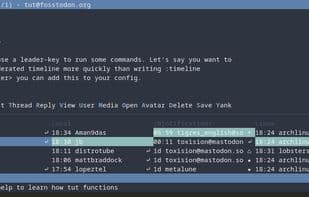
Mastodon's TUI, with vim-inspired keybindings. This program includes most of the features you'd find in the web client.
Features
Keyboard-driven
Compose new toots in $EDITOR
Commands like :search and :bookmarks
View media in your favorite programs, e.g., imv for images, mpv for videos
How to use Tut?
Tut is a text user interface (TUI) designed for Mastodon, using vim-style key operations to allow users to efficiently manage and post content in the terminal. It supports multiple users and external programs for media viewing.
Core Functions of Tut
Command Line Interface
Two-Factor Authentication
Vim key mappings
Terminal-Based
Usage Scenarios of Tut
- Compose new toots in an external editor.
- Search Mastodon content using the `:search` command.
- Manage bookmarks with the `:bookmarks` command.
- View images and videos through external programs like imv or mpv.
- Browse Mastodon in a keyboard-driven terminal interface.
- Manage multiple Mastodon user accounts.
Common Questions about Tut
What does Tut do?
How do I use Tut?
What are the core features of Tut?
What are the use cases for Tut?



















