




Product Information
What is Whatsie?
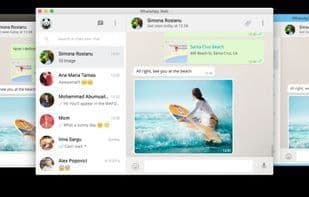
Feature-rich WhatsApp Web client based on Qt WebEngine for Linux Desktop - Whatsie Key Features
Light and dark theme auto-switching
Custom notifications and native notifications
Keyboard shortcuts
Built-in download manager
Mute audio, disable notifications
Application lock functionality
Hardware access permission manager
Built-in spell checker (supports 31 major languages)
Additional settings allow you to control various aspects of the WebApp, such as:
Do Not Disturb mode
Full-view mode, enabling expansion of the main view to the entire window width
Ability to switch between native and custom notifications
Configurable notification popup timeout
Mute all audio in WhatsApp
Disable media autoplay
Minimize to tray on application launch
Toggle to enable click-to-hide to system tray
Switch download location
Enable/disable application lock on startup
Auto-lock after a set time interval
App lock password management
Widget styles
Configurable day/night-based auto-theme switching
Configurable close button action
Global application shortcuts
Permission manager to toggle camera, microphone, and other hardware-level permissions
Configurable page zoom factor, adjustable based on maximized window state
Configurable application user agent
Application storage management for clearing residual cache and persistent data
How to use Whatsie?
Whatsie is a Qt WebEngine-based desktop client for WhatsApp, specifically designed for Linux users, offering enhanced features and an optimized desktop experience beyond the standard web version.
Core Functions of Whatsie
Encrypted Backups
Two-Factor Authentication
Self-destruct messages
End-to-End Encryption
Story
Support for @mentions
Usage Scenarios of Whatsie
- Use WhatsApp in Linux desktop environments.
- Integrate WhatsApp as a desktop app into environments like Plasma.
- Enjoy WhatsApp notifications, shortcuts, and download management via desktop clients.
- Manage WhatsApp messages and settings with rich features.
Common Questions about Whatsie
What does Whatsie do?
How do I use Whatsie?
What are the core features of Whatsie?
What are the use cases for Whatsie?



















