



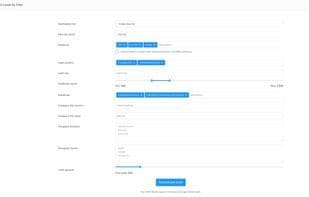

Product Information
What is Getprospect?
GetProspect is an email finder tool that helps you locate the email addresses of your target audience based on search filters. The main features of GetProspect include:
Retrieving anyone's email from LinkedIn using a Chrome extension or LinkedIn profile URL.
Searching within the GetProspect database to potentially upload a large number of contacts based on various search filters.
Importing files containing contact names and company domains to find their email addresses.
Additional benefits you receive at no extra cost include:
Online human support
Email verification
Exporting data in .csv or .xlsx formats
Integration with other tools and services
Team usage
How to use Getprospect?
GetProspect is an email-finding tool for sales, biz dev, recruiters, and marketers to locate target B2B contacts' emails and phone numbers from a vast database.
Core Functions of Getprospect
Mail finder
LinkedIn Automation
Email Finder, LinkedIn Automation
Usage Scenarios of Getprospect
- Get anyone's email from LinkedIn via Chrome extension or LinkedIn profile URL.
- Bulk upload contacts and search based on multiple search filters in the GetProspect database.
- Import a file containing contact names and company domains to find their email addresses.
- Target potential customers using 17+ search filters such as name, position, industry, location, technology, etc.
- Export a list of up to 2,500 leads from LinkedIn Sales Navigator with one click.
- Bulk find business email addresses and enrich contact or company lists with 40+ accurate data attributes.
Common Questions about Getprospect
What does GetProspect do?
How do I use GetProspect?
What are the core features of GetProspect?
What are the application scenarios for GetProspect?



















