




Product Information
What is Jetbrains cadence?
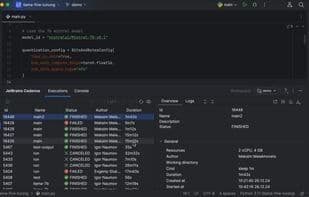
Run code directly from PyCharm in just minutes—no complex setup or cloud expertise required.
Why is Cadence the right choice for ML/AI engineers?
Serverless computing: Access a range of GPUs on demand and pay only for the resources consumed per second.
Run code as-is: Seamlessly train your models in the cloud without making any changes.
Designed for PyCharm: Maintain your existing workflow—use the terminal or debugger just like you would locally.
Simplified data management: Say goodbye to manual transfers. Cadence automatically handles data synchronization, allowing you to download experiment results anytime.
Reliable and reproducible: Easily review, refine, and replay experiments.
Skip the queue: Schedule as many tasks as needed simultaneously. Cadence automatically checks for available hosts across different regions and zones.
Why do ML/AI teams choose Cadence?
Scalable GPU solutions: Instantly adjust resources through Cadence’s agile cloud platform and access a diverse range of global GPUs.
Optimized GPU utilization: Cadence manages resource allocation during training to ensure GPUs are used only when needed.
Transparent billing: Cadence employs a pay-as-you-go model, offering transparent spending and fine-grained control over resource consumption.
Enhanced collaboration: Cadence makes it easy to share and reuse experiment results with colleagues, saving everyone time and enabling more effective teamwork.
How to use Jetbrains cadence?
JetBrains Cadence is a tool specifically designed for machine learning/AI engineers, enabling users to run code directly in PyCharm using powerful cloud hardware, thereby simplifying the setup of complex cloud environments and the model training process.
Core Functions of Jetbrains cadence
AI-Powered
Usage Scenarios of Jetbrains cadence
- Run Code Directly on Powerful Cloud Hardware in PyCharm
- Seamlessly Train Machine Learning Models in the Cloud
- Use PyCharm Terminal or Debugger as if Locally
- Automatically Sync and Download Experimental Result Data
- Review, Optimize, and Rerun Experiments
- Share and Reuse Experimental Results with Team Members
Common Questions about Jetbrains cadence
What does JetBrains Cadence do?
How do I use JetBrains Cadence?
What are the core features of JetBrains Cadence?
What are the application scenarios of JetBrains Cadence?




















