




Product Information
What is My expenses?
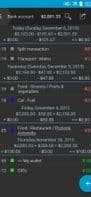
An easy-to-use, open-source personal finance manager for Android. Track expenses across up to five different accounts, secured with password protection and backup options. Supports multiple currencies and templates, as well as scheduling for future and recurring transactions.
Additional features include:
- Daily, weekly, monthly, yearly, and total sum displays for grouped transactions
- Two category levels (importable from Grisbi XML and QIF)
- Built-in calculator
- Export to QIF and CSV (compatible with MS Excel) with auto-sharing options (via email, FTP, Dropbox, etc.)
- Import from QIF and CSV
How to use My expenses?
My Expenses is an easy-to-use, open-source Android personal finance app that helps users track spending, supporting up to five accounts, multiple currencies, password protection, backups, and planning for future and recurring transactions.
Core Functions of My expenses
Dark Mode
Support for Multiple Currencies
Cash Flow Analysis
Import CSV data
Usage Scenarios of My expenses
- Track daily personal expenses and manage multiple financial accounts.
- Plan and record future or recurring transactions.
- Export transaction data in QIF or CSV format for analysis in other software (e.g., MS Excel).
- Import transaction data in QIF or CSV format.
- View transactions grouped by day, week, month, year with totals displayed.
- Manage expenses using two-tier classification.
Common Questions about My expenses
What does My Expenses do?
How do I use My Expenses?
What are the core features of My Expenses?
What are the application scenarios for My Expenses?



















