



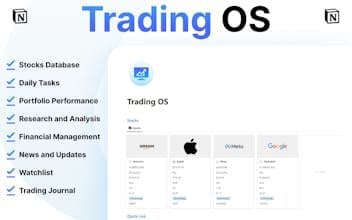

Product Information
What is Trading-os?
Revamp trading with this 'Trading OS' template—organized data and streamlined workflows.
How to use Trading-os?
Trading OS is a Notion-based template aimed at enhancing the trading experience by organizing data and simplifying processes, enabling fine-tuned management of financial market trading.
Core Functions of Trading-os
Stock Database: Track Investments, Get Real-Time Market Data
Daily Task Database: Manage Daily Trading Routines, Ensure No Tasks Are Missed
Portfolio Performance: Visualize Portfolio Changes with Dynamic Charts and Metrics
Research & Analysis: Deep Dive into Companies, Discover Key Information, Formulate Strategies
Financial Management: Record Trades, Monitor Income and Expenses, Clearly Grasp Financial Status
Trade Journal: Log Every Trade, Capture Strategies, Reflect on Results to Optimize Methods
Usage Scenarios of Trading-os
- Track real-time market data for stocks like Amazon and Alphabet
- Analyze earnings reports, track market trends, and manage daily trading tasks
- Visualize daily, weekly, and monthly portfolio return changes
- Conduct in-depth company research to make strategic decisions based on reliable information
- Record trades, monitor income and expenses, and maintain financial transparency
- Document trading processes, strategies, and outcomes to continuously optimize trading methods
Common Questions about Trading-os
What does Trading OS do?
How do I use Trading OS?
What are the core features of Trading OS?
What are the use cases for Trading OS?



















