
Product Information
What is Usabilitytools?
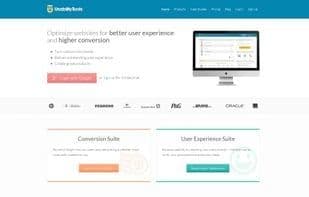
Optimize your website for better user experience and higher conversion rates.
View your site from the user's perspective or directly ask them how to improve your service. The UsabilityTools platform combines qualitative and quantitative methods. It integrates with a research panel that has access to over 10 million people worldwide.
The UT platform consists of three main components:
**Conversion Suite**
Click Tracking – Visualize clicks and mouse movements to discover which areas capture visitors' attention and which do not.
Form Tester – Understand how visitors interact with each field and identify which steps in the process lead to drop-offs.
Visitor Recordings – View your website from the user's perspective and learn from their behavior. Capture every mouse movement, click, and keystroke.
Feedback Forms – Enhance visitor satisfaction by uncovering how well your site meets their needs.
**User Experience Suite**
Click Test – Ask respondents about your visual design. Gather feedback on specific aspects of your layout or marketing creatives.
Web Test – Identify improvement opportunities by testing usability with a large group of people.
Card Sorting – Build a successful information architecture that helps users navigate your content effortlessly.
Surveys – Engage respondents and gather solid, real-time data.
**Collaboration Suite**
Persona Tool – Easily create multiple user profiles and share them with your team members.
How to use Usabilitytools?
Usabilitytools is a comprehensive platform using qualitative and quantitative analysis to optimize UX and conversions for websites, apps, or prototypes, with direct user feedback.
Core Functions of Usabilitytools
Conversion Rate Optimization
Conversion Tracking
Website testing
Heatmaps
Usability
Availability testing
Heatmaps
Usage Scenarios of Usabilitytools
- Visualize user behavior with click tracking and visitor recordings to identify website hotspots and overlooked areas.
- Test form interactions to identify steps causing user drop-offs.
- Gather user feedback on visual design, layout, and marketing ideas.
- Conduct usability tests and card sorting to improve information architecture and user navigation.
- Create and share user personas to enhance team collaboration.
- Get video feedback from real users on websites, apps, or prototypes for UX design, user research, marketing, and product management.
Common Questions about Usabilitytools
What does Usabilitytools do?
How do I use Usabilitytools?
What are the core features of Usabilitytools?
What are the application scenarios for Usabilitytools?