




Product Information
What is Clickclack?
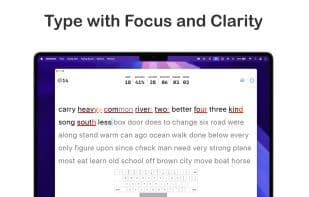
Boost your typing speed with a distraction-free and clean user interface. Customize your typing style. Upgrade to Pro for more challenges, stats, and unlimited custom texts.
Key Features:
Free Typing Lessons:
• Timer-Based: Enjoy 15-second and 30-second sessions.
• Word Count: Test your skills with 15- and 25-word sessions.
Detailed Typing Analysis:
• Performance Metrics: Calculate WPM (net and gross), accuracy, and consistency.
• Error Tracking: Track correct, incorrect, and missed characters to help improve your typing.
• Level Progress Tracking: Earn XP from each typing session and unlock new levels as you progress, rewarding speed and accuracy.
• WPM Chart: Display session charts to track progress over time.
• Mistyped Keys Heatmap: Highlight most mistyped keys on a color-coded heatmap, focusing on standard ASCII keyboard characters (letters, numbers, symbols).
Global and Custom Input Texts:
• Personalized Practice: Create and manage your own typing texts using favorite quotes, lyrics, or any text of your choice.
• Seamless Integration: Easily select custom texts for typing practice, making each session more engaging and meaningful.
Customizable Style:
• Typography: Choose your favorite font, adjust font size, line spacing, letter spacing, line breaks, and text alignment for a personalized experience.
• Themes: Select from curated collections to match your mood and enhance focus.
• Punctuation and Numbers: Include punctuation and numbers in typed texts to customize your practice.
• Haptic Feedback Toggle: Enable or disable haptic feedback when typing on the on-screen keyboard.
• Allow Backspace Toggle: Easily fix mistyped words.
Widget Support:
• Custom Text Widget: Display your own or random custom texts and jump straight into practice from the home screen.
• Completed Typing Sessions Widget: Track daily typing activity and session completions from the home screen.
• Typing Stats Widget: Stay motivated with the latest typing stats on your home screen.
Keyboard Key Mapping Overlay:
• Connect your Magic Keyboard (iPad) or any external keyboard and enable the new key mapping overlay. It shows pressed keys and the next key to focus on in real-time, perfect for improving typing accuracy and fluency.
Typing Sound Effects:
• Enhance your typing experience with satisfying sound effects that simulate a real keyboard. Choose from multiple styles like mechanical switches, typewriter, and more.
Seamless Sharing:
• Share typing results as images or JSON to easily track progress or showcase achievements.
iCloud Sync:
• Sync comprehensive typing stats across iPhone, iPad, and macOS. Enjoy a unified experience and access your data anytime, anywhere.
How to use Clickclack?
ClickClack is a tool designed to improve typing speed, offering a distraction-free, minimalist UI with personalized typing style customization. Detailed typing analysis and diverse practice modes help users increase accuracy and efficiency.
Core Functions of Clickclack
Distraction-free
Privacy-Focused
Lightweight
Cloud Sync
No Tracking
Ad-Free
Usage Scenarios of Clickclack
- Improve typing speed and accuracy
- Conduct timed or word-limited typing practice
- Use custom text (e.g., quotes, lyrics) for personalized typing training
- View keys and next focus keys in real-time via keyboard overlay to enhance typing fluency
- Sync typing statistics across iPhone, iPad, and macOS devices
- Track daily typing activities and session completions
Common Questions about Clickclack
What does ClickClack do?
How do I use ClickClack?
What are the core features of ClickClack?
What are the application scenarios of ClickClack?




















