




Product Information
What is Contenttools editor?
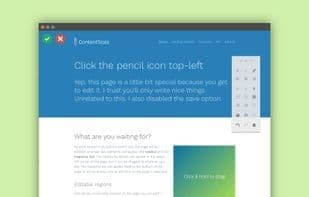
ContentTools is an open-source WYSIWYG editor designed for HTML content, written in JavaScript/CoffeeScript, making it easy to integrate with any HTML document, customize, extend, or incorporate into a full-fledged web-based content management system. The ContentTools Editor enables users to edit, resize, or move text content, images, embedded videos, tables, and other page elements directly within the page via drag-and-drop. It features a floating context-sensitive toolbar that can be repositioned by the user, offering functionality and ease of use akin to word processing applications.
How to use Contenttools editor?
ContentTools is an open-source WYSIWYG HTML content editor, offering a flexible and extensible JavaScript library that enables users to directly edit, adjust, and move text, images, videos, and more within web pages. It simplifies the creation and management of HTML content.
Core Functions of Contenttools editor
Customizable, extensible via plugins/extensions, supports WYSIWYG, CMS integration, online editor, drag-and-drop functionality
Usage Scenarios of Contenttools editor
- Integrate into any HTML document for content editing
- Integrate into web-based content management systems (CMS)
- Create custom WYSIWYG editors
- Edit text, images, videos, and tables directly on web pages
- Adjust and move page content
Common Questions about Contenttools editor
What does ContentTools do?
How do I use ContentTools?
What are the core features of ContentTools?
What are the use cases for ContentTools?


















