




Product Information
What is Currports?
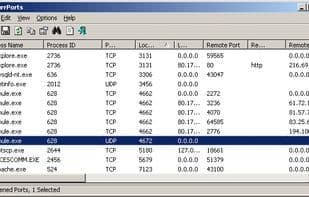
CurrPorts is a network monitoring tool that displays a list of all currently open TCP/IP and UDP ports on your local computer. For each port in the list, it also provides information about the process that opened it, including the process name, full path, version details (such as product name and file description), creation time, and the user who initiated it.
Additionally, CurrPorts enables you to close unwanted TCP connections, terminate processes associated with open ports, and save TCP/UDP port details to an HTML file, XML file, or tab-delimited text file. It automatically highlights suspicious TCP/UDP ports owned by unknown applications (those lacking version information and icons) in pink for easy identification.
How to use Currports?
CurrPorts is network monitoring software displaying all open TCP/IP and UDP ports on local computers with process details, helping users manage and identify connections.
Core Functions of Currports
Portable
Filter
Usage Scenarios of Currports
- View all open TCP/IP and UDP ports on the local computer
- Get process information for open ports, such as process name, full path, and creation time
- Close unnecessary TCP connections
- Terminate processes using open ports
- Save TCP/UDP port information as HTML, XML, or tab-delimited text files
- Identify and mark suspicious TCP/UDP ports owned by unknown applications
Common Questions about Currports
What does CurrPorts do?
How do I use CurrPorts?
What are the core features of CurrPorts?
What are the use cases for CurrPorts?



















