




Product Information
What is Distant desktop?
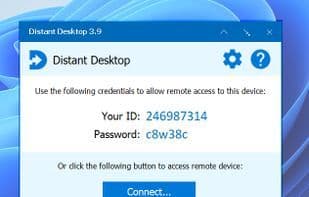
Free remote desktop software suitable for both businesses and individuals. With Distant Desktop, you can access and manage computers from anywhere in the world. No installation or registration required. Everything is incredibly simple: download the application to your computer and the one you wish to control. Note down your unique ID and password, and use this information to establish a remote desktop connection.
Key Features:
- Remote desktop control using mouse and keyboard.
- Supports multiple simultaneous connections, applicable to both the controlling and controlled parties.
- File transfer between connected computers.
- Text chat. Send messages to your partner via integrated chat.
- Voice communication with remote users.
- Presentation mode. When enabled, it allows incoming connections but blocks remote control of the computer. This mode is designed specifically for presentations and online classes.
- Unattended and attended access.
- Remote printing.
- Wake-on-LAN.
- Free for commercial and personal use with no hidden limitations.
Distant Desktop is a fast, secure solution for users who need remote access to their PCs. The program is highly useful for system administrators and remote workers. It can be utilized for remote technical support as well as online presentations and training sessions.
How to use Distant desktop?
Distant Desktop is a free remote desktop software supporting personal and commercial use, enabling users to access and manage computers from anywhere in the world without installation or registration.
Core Functions of Distant desktop
Privacy focused
Lightweight
Remote Support
Screen Sharing
Unattended Access
Support for Multiple Monitors
Usage Scenarios of Distant desktop
- Provide remote technical support
- Conduct online demos and courses
- System administrators remotely manage computers
- Remote workers access their personal computers
- Manage within a local area network
- Conduct remote training and education
Common Questions about Distant desktop
What does Distant Desktop do?
How do I use Distant Desktop?
What are the core features of Distant Desktop?
What are the use cases for Distant Desktop?




















