




Product Information
What is Dns check?
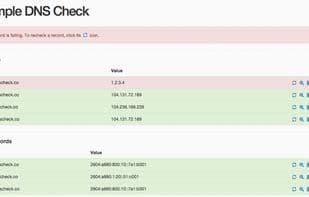
DNS Check is an application that compares the DNS records you input with those returned by the name servers in response to queries. If any issues arise, DNS Check will alert you, enabling you to quickly pinpoint the problem. Detectable issues include:
- Name servers not responding
- Incorrect IP addresses returned
- Missing DNS records
- Duplicate DNS records
- Incorrect MX record preferences returned
- Mismatched forward and reverse DNS records
- IP addresses removed from SPF records
- Name servers out of sync
Supported DNS record types include:
- A
- AAAA
- CNAME
- ALIAS
- Load Balancer
- MX
- NS
- PTR (Reverse DNS)
- SOA
- SPF
- SRV
- TXT
DNS records can be added individually or imported from a zone file.
You can also use DNS Check to request DNS record updates by sharing a link that displays which records are correctly published and which are not. DNS Check will notify you once updates are detected.
How to use Dns check?
DNS Check is an app that compares user-input DNS records with query results from domain name servers, notifying users of issues and helping quickly identify problems. It aims to help users easily monitor, share, and troubleshoot DNS records.
Core Functions of Dns check
Server Monitoring
Network Tools
Uptime Monitoring
Usage Scenarios of Dns check
- Monitor DNS record and nameserver changes and lookup failures.
- Request DNS record updates by sharing report links, showing pass/fail status of records.
- Quickly troubleshoot and resolve DNS issues, identifying specific failure causes.
- Detect various DNS issues, such as unresponsive nameservers, incorrect IP addresses, missing or duplicate records.
- Import zone files or add individual DNS records for checking.
Common Questions about Dns check
What does DNS Check do?
How do I use DNS Check?
What are the core features of DNS Check?
What are the application scenarios for DNS Check?



















